


Red Robin
4.41.80K Reviews
App Specs
- Version
- 3.5.0
- Updated On
- License
- Free
- Downloads
- 1,000,000+
- Developer
- Red Robin International, Inc.
- Categories
- Food & Drink
- Platform
- Android, iOS
Screenshots
 Analysis by AppCompare
For a first-time user, the useful question is not whether a restaurant app looks appetizing, but whether it helps you get from a craving to a correct order without adding extra work. Red Robin’s app is aimed squarely at that job: browsing the restaurant’s menu, placing an order and keeping track of rewards. I’d consider it most useful when I already know I want Red Robin and would rather sort out the details on my phone than decide everything at the counter.
What to expect from the app
This is a Food & Drink app from Red Robin International, Inc., rather than a general restaurant-discovery service. That distinction matters: it makes sense for checking Red Robin’s own menu and ordering from the chain, but it is not a substitute for a delivery marketplace when you are comparing lots of nearby restaurants. The app is free, rated for Everyone, and its current version is 3.4.3. It has a 4.4 average from around 4.7 thousand ratings, which gives a new user a broad sense of how it has landed with other customers without guaranteeing that every order will go smoothly.
I would approach the app as a convenience layer for a meal you have more or less chosen, not as a reason to pick a restaurant blindly. Its strongest case is practical: look over the Red Robin menu, make choices before you arrive, and use the rewards area if you return often enough for that to matter. If you rarely eat there, the menu and ordering tools may still be handy, but rewards are less likely to change your decision.
Getting started without overthinking setup
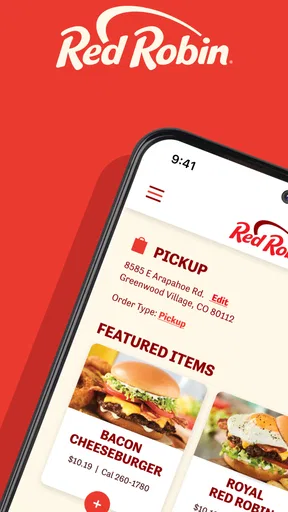
After installing it, I’d begin by looking around before committing to an order. Check that the location you have in mind is the one the app is using, then browse the menu and see what choices are available for the meal you want. That small check can prevent a common first-order frustration: preparing a basket for the wrong restaurant or assuming every location handles an option in the same way.
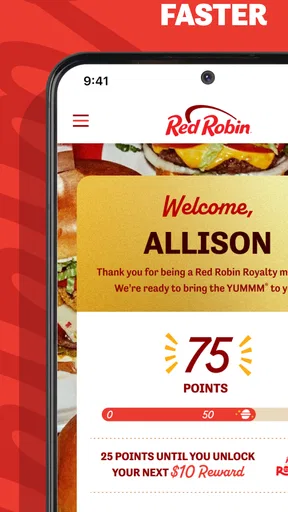
When you reach the rewards area, take a moment to understand what your account shows before planning a meal around a perk. The app is designed to connect ordering with Red Robin’s Royalty program, so it is sensible to check your points and any reward displayed there rather than relying on memory. I’d treat offers as a bonus, not as a reason to order something I did not want in the first place.
Making a first order that feels manageable
For a first meaningful use, I’d choose a familiar meal, review its details, and make any straightforward changes before adding it to the order. The menu presents item descriptions and, as described in the app experience, nutrition information; those details can help you compare choices instead of trying to remember them while talking through an order. If you have a dietary need, read the available information carefully and ask the restaurant when you need certainty about ingredients or preparation. An app screen is useful guidance, but it should not replace a direct check for a serious allergy.
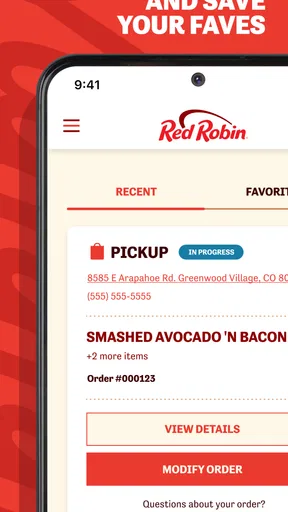
Once the food is selected, pause at the order summary and check the location, items and requested changes before moving on. This is a small habit, but it is especially useful when ordering for more than one person: a missing modification can be harder to spot after everyone is waiting for dinner. If pickup is your plan, make sure that is the option you intended; if you want delivery, check that the displayed choices suit your situation before you rely on the app to handle the rest.
Worth Reading Before You Choose

EA SPORTS FC Mobile 26 Is a Bigger Football Game, but It Takes Time

Flipboard Shows What News Apps Must Do Beyond the Feed

Switching to Android Auto Means Rethinking Your Driving Routine

Google Calendar Makes a Crowded Week Easier to Manage

Ludo King Makes the Most of the Minutes Between Plans

Baby Panda World Brings Quick Play to Modern Phones, but Its Game Library Feels Busy
Where the app helps—and where I’d be cautious
Ordering ahead is most useful when timing matters but the meal itself is settled. For example, if I am leaving work and know I want a Red Robin meal on the way home, I can use the app to look through the menu and organize the order before reaching the restaurant. That can make the visit feel more direct than deciding at the counter. For a busy evening, checking the location details before setting out is also a sensible step; a restaurant app cannot make an inaccurate assumption about where you want to eat useful.
There are trade-offs. A dedicated chain app keeps the menu and rewards in one place, but it naturally focuses on Red Robin rather than showing competing restaurants side by side. The usual alternatives—ordering in person, calling the restaurant, or using a multi-restaurant delivery service—can be better when you need help with a complicated request, want to compare different cuisines, or prefer to speak to someone. I would not use any ordering screen as a substitute for confirming a time-sensitive or allergy-related detail with the restaurant.
It is also worth separating a smooth browsing experience from a guarantee about every part of the meal. I found the app easy to navigate, but a digital order still depends on choosing the right location and reviewing the basket carefully. If you are ordering for a group, have one person collect everyone’s changes before placing the order. That is less about a special app trick than a practical way to avoid a string of last-minute edits and confusion.
Using Red Robin with realistic expectations
The app has been available since November 11, 2021, and has passed one million installs. Those figures suggest it is an established option for customers who want a direct route to the chain, but I would still judge it by whether it fits my own routine. Its role is clearest when Red Robin is already the destination and you want to handle menu choices, ordering and rewards together.
A realistic first visit
Picture a family deciding on dinner after a long day. One person can browse the menu at home, check the descriptions and nutrition information, and collect each person’s choices before anyone is hungry enough to rush. They can then review the order together, paying special attention to customizations and the selected location. If the family eats at Red Robin regularly, checking the Royalty area before checkout may also help them see whether a reward is relevant. The useful outcome is not a complicated workflow; it is arriving with fewer decisions left to make.
For someone who has never used a restaurant app, the first order does not need to involve every option. Start with a familiar item and a simple pickup or delivery plan, then see whether the process suits you. If you are unsure about a menu detail, ask before submitting the order rather than guessing. That approach makes the first attempt reassuring and gives you a clearer basis for deciding whether you want to use the app again.
Who should use it, and who may prefer another route
I think it is a good fit for people who already visit Red Robin and want to browse or arrange an order without starting from scratch at the restaurant. It is also useful for someone coordinating a predictable meal for a household: the menu can be reviewed at a calmer moment, and the order can be checked before it is sent. Regular customers have a more natural reason to look at rewards than occasional diners, although the app can still be useful for a one-off menu check.
I would skip it when the main task is finding the cheapest or closest meal across several chains, since a Red Robin app is not built for broad comparison. I would also choose a direct conversation with the restaurant for a request that needs careful explanation, or when an allergy makes ingredient and preparation details especially important. And if you prefer not to manage restaurant accounts or digital ordering, ordering in person remains a perfectly reasonable alternative; installing the app is not a requirement for enjoying a meal there.
My verdict for a first-time user
The first step is simple: install the free app, confirm the intended location, browse a meal you recognize, and review the order before placing it. If you return to Red Robin, the rewards section gives you another reason to keep it available; if you do not, its value is mainly the menu and ordering convenience. With more than 1.8 thousand written reviews and a one-million-plus install base, it is clearly used by a substantial group of customers, but those figures should not replace your own experience with the restaurant and app.
Overall, I’d recommend Red Robin to someone who already likes the restaurant and wants a more organized way to plan a visit or order. I would not call it essential for everyone, and I would keep a careful eye on location, customizations and any important dietary question. Used for the job it is designed for, it can take some friction out of choosing and arranging a Red Robin meal without asking a first-time user to learn a complicated system.
First Impressions
Downloading the Red Robin app was a breeze. Available on both Android and iOS, it took less than a minute to install. Once opened, the app greets you with a vibrant and appetizing interface. The layout is intuitive, with easy navigation tabs at the bottom for menu exploration, rewards checking, and finding the nearest location. It's clear they put some thought into the design to make your experience as seamless as possible.
Exploring the Menu
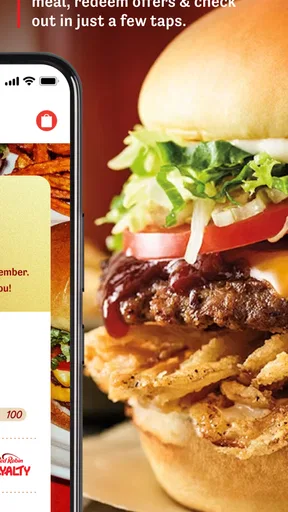
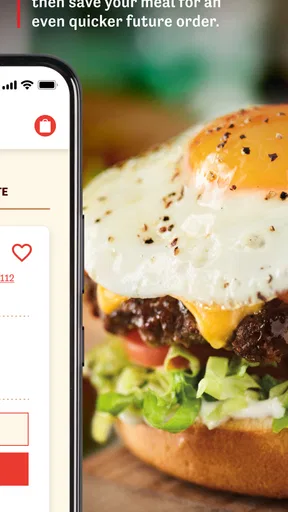
The menu section is a feast for the eyes. It's like having a virtual tour of their delicious offerings. I loved how each item is accompanied by mouth-watering images and detailed descriptions. You can easily customize your order, just like you would in person. Want extra cheese or to skip the onions? No problem. It's all just a few taps away.
What's even cooler? They show you the nutritional info right there, so if you're counting calories or have dietary restrictions, you can make informed choices without any hassle. It’s like having your own personal menu assistant.
Rewards and Deals
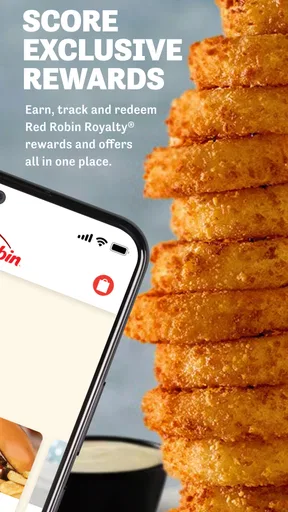
Now, let’s talk about one of my favorite features – the rewards! The app integrates their Royalty program, which is a sweet deal if you're a regular at Red Robin. Every time you order, you earn points towards free food. The app keeps track of your points and available rewards, making it super easy to redeem them. Plus, they often have exclusive deals for app users that you won’t want to miss.
I was pleasantly surprised by the frequency and value of the deals. Who doesn’t love getting a little extra bang for their buck? It’s like the app is rewarding you just for being a fan.
Finding Your Nearest Red Robin
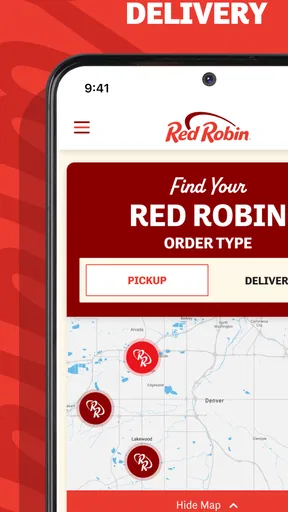
If you're on the go and craving a burger fix, the app’s location feature is a lifesaver. It uses your GPS to pinpoint the nearest Red Robin locations. You can even check out the wait times and make a reservation directly from the app. This is particularly handy on busy nights when you want to avoid standing around waiting for a table.
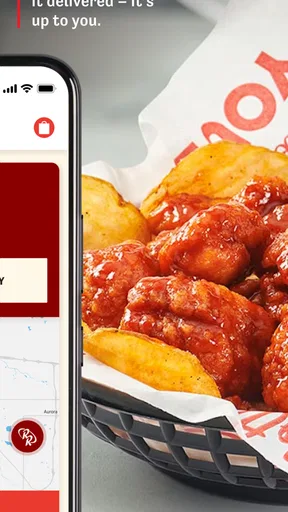
The option to order ahead for pickup or delivery is a major convenience. You can skip the line and have your meal ready when you walk in, or have it delivered right to your door. It’s as if Red Robin is bringing the restaurant experience to your couch.
Overall Usability
The Red Robin app doesn’t just look good; it functions well too. During my time using it, I didn’t encounter any bugs or crashes, which is a huge plus in my book. The overall speed and responsiveness were impressive, ensuring that you can place your order or check your rewards without any frustrating delays.
The app supports secure payment options, which means you can pay directly through your phone without worrying about security issues. It’s all about convenience and peace of mind, right?
Final Thoughts
As someone who appreciates good food and good deals, this app is a win-win. The convenience, combined with the rewards and exclusive offers, makes it a must-have for any Red Robin enthusiast. Whether you're a frequent diner or just an occasional visitor, the app enhances your dining experience in a way that feels personal and tailored to your needs.
In a nutshell, if you love Red Robin and haven't downloaded the app yet, what are you waiting for? It's more than just a tool; it's like having Red Robin in your pocket, ready to satisfy your cravings at the tap of a screen.
Pros
- User-friendly interface simplifies navigation.
- Customizable burger options enhance experience.
- Loyalty rewards system offers great perks.
- Online ordering is quick and efficient.
- Frequent updates improve app functionality.
Cons
- Limited payment options available in-app.
- Occasional glitches during peak times.
- No nutritional info for customized items.
- Requires location access for full functionality.
- Limited delivery areas restrict access.
FAQs for Red Robin
What is the main functionality of the Red Robin app?
The Red Robin app is designed to enhance your dining experience by offering features like online ordering, table reservations, and exclusive deals. Users can browse the menu, customize their orders, and easily pay through the app. Additionally, it provides access to the Red Robin Royalty rewards program, allowing you to earn and redeem points.
How does the Red Robin Royalty rewards program work within the app?
The Red Robin Royalty rewards program allows users to earn points on every purchase made through the app. Once you accumulate enough points, you can redeem them for free menu items or discounts. The app also provides special offers and birthday rewards, making it a valuable tool for frequent diners.
Is the Red Robin app available for both Android and iOS devices?
Yes, the Red Robin app is available for both Android and iOS platforms. Users can download it from the Google Play Store and Apple App Store. It ensures a seamless experience across devices, allowing you to enjoy its features whether you’re using a smartphone or a tablet.
Can I customize my order through the Red Robin app?
Absolutely. The Red Robin app allows users to fully customize their orders, including selecting specific ingredients and sides, or choosing dietary preferences. This customization feature ensures that you can tailor your meal exactly to your liking before placing an online order or reserving a table.
Does the Red Robin app offer any exclusive promotions or discounts?
Yes, the app frequently offers exclusive promotions and discounts to its users. By keeping the app installed and notifications enabled, you can receive updates on limited-time offers, special events, and discounts only available through the app. This makes it a great way to save money while enjoying your favorite meals.


